Writing software requirements,easier than ever.
Clarify requirements with AI, then write the full set — SRS, wireframes, user stories, test cases — in your company template.
Launch price for the first 100 customers: $54 / 6 months · $89 / 12 months
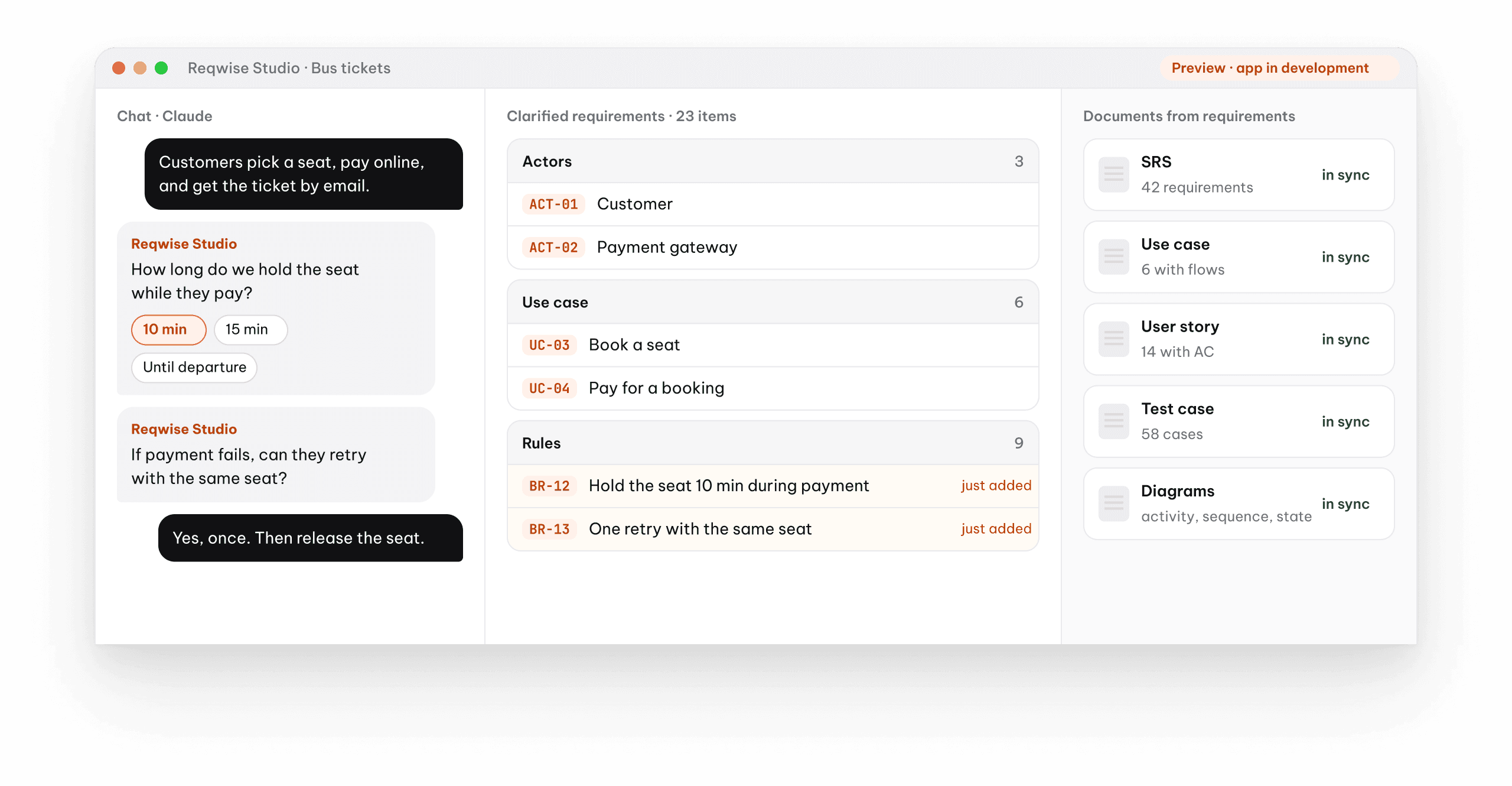
See Reqwise Studio at work.
One real working session: from rough requirements to a complete set of documents.
From a raw idea
to client-ready documents.
You meet the client and decide. AI asks every question and writes it all down.
Drop in the requirements
Meeting notes, emails, Word, PDF — or a one-line message.
“Customers book a seat and pay online.”
AI asks about the gaps
It asks before it writes. Anything unclear becomes a question for the client.
Hold the seat how long? 10 · 15 min
Drafts the whole set
SRS, screens, user stories, test cases — in your template, every line with its source.
BR-12 · hold seat 10 min
You review and approve
Once approved, sync to Jira and Confluence.
SRS · US-07 · TC-21 · Jira
One answer → every document in sync.
The client answers once. The spec, screens, user stories and test cases all use the same numbers.
The client’s answer during clarification
3 wrong tries → captcha · 5 → locked for 24 h
Spec · FR-026
Lock the account for 24 hours after 5 wrong tries, then unlock automatically.
Screen · Prototype
“Your account is locked after too many failed sign-ins. Try again in 24 hours.”
User story · AC-003
Given 5 failed sign-ins in a row… Then lock the account for 24 hours.
Test case · TC-14
Submit a wrong password 5 times → the account is locked for 24 hours.
One line changes.
18 documents to fix.
Minimum password length goes from 6 to 8. Studio finds every affected place, you approve, then it edits — 18/18 documents back in sync.
CR-07 · from client
Passwords need at least 8 characters, not 6.
- FR-012
6 chars8 charsupdatedupdated - UC-02Sign-up · step 3updatedupdated
- US-007Reset password · AC-002updatedupdated
- TC-31–36Forgot password · 6 test casesupdatedupdated
- SCR-04Sign-up screen · error messageupdatedupdated
One app for the whole BA job.
From clarifying requirements to handing off to dev and QA.
Clarify and write requirements
AI asks about anything vague, then writes the full set in your company template. Use cases and user stories come with Given / When / Then acceptance criteria.
- SRS
- URD
- BRD
- Request forms
- Use case
- User story + AC
- Jira
- Confluence
Diagrams, wireframes and prototypes
Drawn from the requirements themselves, not redrawn by hand. Clickable screens the client can approve before development starts.
- Userflow
- Activity
- Sequence
- State
- ERD
- Wireframe
- Prototype
Test cases for QA
Step-by-step test cases with expected results, plus checklists and runnable Playwright scripts.
Step by step
with expected results
Checklist
for every feature
Playwright
runnable scripts
The client changes, the documents follow
One CR updates every affected document after you approve. Every line knows which client answer it came from.
1 CR
updates every doc
Word template
your company’s
Traceability
to each answer
Use the AI you already have
Studio runs on the Claude or Codex plan you’re signed in to, or your own API key. Reqwise sells the app, not the AI.
- Claude
- Codex
- Your API key
Projects live on your computer
A project is a folder of plain text. Put it in git or a shared drive. Our server only handles accounts and licenses.
For BAs, POs and PMs
At outsourcing firms and product teams — wherever one requirement turns into a stack of documents.
A plan per account.
6 months
Launch price$54
$79 for the first 100
- Every feature
- Updates while subscribed
- Up to 3 devices per account
12 months
Best value$89
$129 for the first 100
- Every feature
- Updates while subscribed
- Up to 3 devices per account
Reqwise Studio is being built. At launch, the first 100 customers keep the launch price on every renewal.
Before you start
Who is Reqwise Studio for?
BAs, POs and PMs — anyone whose requirement documents must follow a template and stay in sync.
How is it different from ChatGPT or Claude?
A chat gives you a block of text. Studio writes the full set in your template, sources every line, and updates everything when the client changes their mind.
Can I use my company’s document templates?
Yes. Upload your old Word template, or build one from ready-made blocks. Word, Excel and PDF exports keep your company formatting.
How many devices?
One person, up to 3 devices. To switch, sign out in the app or remove the old device on your account page.
What happens when it ends?
Projects stay readable and exportable. AI and editing pause until you renew.
Can I get a refund?
Full refund of your latest purchase within 14 days.
From a raw idea to the full set of documents.
Need diagrams in Figma? Try Reqwise Figma today.